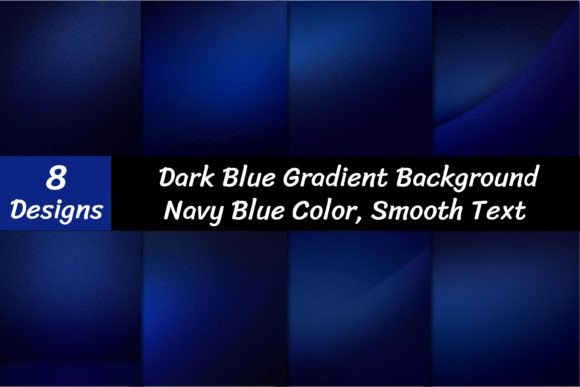
Mastering Visual Depth with Dark Blue Gradient Backgrounds
In the world of digital design, color does more than just fill space—it sets a mood, tells a story, and guides the viewer's eye. While solid colors have their place, gradients offer a dynamic depth that flat tones simply cannot match. Specifically, dark blue gradient backgrounds have become a staple for designers seeking a balance between professional seriousness and creative flair. This particular collection, featuring rich navy blue tones and elegant color transitions, is designed to serve as a foundational asset for a wide range of visual projects. It is not just about a color; it is about creating an atmosphere that commands attention while maintaining a sense of calm sophistication.
The Psychology and Visual Appeal of Navy Blue
Before diving into technical applications, it helps to understand why navy blue is such a powerful choice. In color psychology, blue is often associated with trust, intelligence, and stability. When you darken that spectrum to navy, you introduce a layer of authority and elegance. A dark blue gradient background leverages this by adding movement and dimension. Instead of a flat, static wall of color, you get a sense of infinite space or a gentle shift in light, which can make a design feel more immersive.
This specific set includes eight digital papers, each rendered at 3600 x 3600 pixels with a high resolution of 300 DPI. These specifications are crucial for modern content creation. Whether you are designing for a high-density Retina display or preparing a file for large-format printing, pixelation is not an option. The "elegant gradient" style here avoids harsh lines or overly saturated neons, focusing instead on smooth, professional transitions that mimic natural light or deep ocean depths. This makes the assets incredibly versatile for both corporate and creative environments.
Practical Applications for Modern Creators
The utility of high-quality background assets extends far beyond simple wallpaper. For the modern designer, entrepreneur, or content creator, these files serve as a canvas for various types of brand identity work.
Digital Branding and Web Design
In web design, a dark background is often used to create "dark mode" aesthetics or to make foreground content pop. Using a dark blue gradient background behind a pricing table or a "Call to Action" section can draw the user's eye immediately to the most important conversion elements. The gradient adds a subtle texture that prevents the website from looking sterile or generic. It works exceptionally well for tech startups, financial services, or luxury goods where a sense of modernity and trust is required.
Social Media and Marketing
On platforms like Instagram, LinkedIn, or Pinterest, stopping the scroll is the primary goal. A static image can often blend into the noise of a feed, but a gradient background adds depth that makes text overlays and product shots stand out. Imagine a promotional quote for a small business owner placed over a deep navy gradient; the contrast ensures readability while the color scheme conveys professionalism. These assets are perfect for creating cohesive highlight covers, story backgrounds, or ad graphics that look polished and intentional.
Editorial and Print Design
For publishers and those involved in editorial design, the 300 DPI resolution is a game-changer. These gradients can be used as the background for magazine covers, book dust jackets, or business cards. In packaging design, a navy gradient can suggest premium quality—think of the packaging for high-end electronics or luxury chocolates. The files are large enough to accommodate print bleeds without losing quality, ensuring that the final physical product looks exactly as it did on screen.
Enhancing Visual Hierarchy and Readability
One of the most practical aspects of using a dark blue gradient background is its impact on visual hierarchy. In design, hierarchy is how we organize elements to show their order of importance. Dark backgrounds naturally push forward lighter elements. When you pair a navy gradient with white, gold, or bright teal typography, the text becomes the undeniable focal point.
However, readability must always be the priority. When working with gradients, it is vital to ensure that the transition does not create "hot spots" or "dead zones" where text disappears. The elegant nature of this specific collection means the gradients are subtle enough to maintain consistent contrast across the entire 3600-pixel width. This is particularly important when designing social media graphics where text might be placed in various corners of the image. The smooth transition from a slightly lighter navy to a deeper midnight blue ensures that your message remains legible, regardless of placement.
Integrating Gradients into Your Design Workflow
Adopting new design assets requires a bit of strategy to ensure they fit your existing workflow and brand guidelines. Here is a practical approach to using these files effectively:
- Evaluate the Tone: Before applying the background, consider if the "personality" of the gradient matches your message. A deep, dark blue gradient suggests seriousness, luxury, and calm. It pairs well with brands that want to appear established and reliable. It might be less suitable for playful, toddler-focused brands that require bright primary colors.
- Test Font Pairings: Because the background is dark and elegant, you need typography that can hold its own. A bold display font or a clean sans serif font usually works best for headlines. Avoid overly thin or delicate script fonts for body copy, as they can become difficult to read against a gradient. For a classic look, pair the navy background with a crisp serif font in white or cream.
- Check for Color Harmony: Look at the specific hue of the navy in the gradient. Does it lean slightly purple or green? Ensure that any accent colors you use—such as buttons or icons—complement this undertone rather than clashing with it.
- File Management: The download includes eight variations. It is helpful to preview all of them to see which specific gradient direction or intensity best suits your project. Organizing these files in your asset library by mood (e.g., "Corporate," "Dark," "Moody") can speed up your design process later.
Licensing and Technical Considerations
When acquiring assets for commercial use, understanding the technical delivery and licensing is just as important as the visual aesthetic. These files are delivered as a zipped folder. This is standard practice for high-resolution assets to ensure fast and secure transfer. You will need an unzipping utility like WinZip or Winrar to extract the JPEG files before you can use them in your software of choice, whether that is Adobe Photoshop, Canva, Figma, or Affinity Designer.
Regarding usage, assets like these are generally intended to be backgrounds. They are the supporting actor, not the main character. This means they are safe to use in a wide variety of commercial projects, including client work, merchandise, and digital products, provided you adhere to the specific license terms associated with the purchase. Always double-check if the license allows for use in end-products for sale (like a printable planner sold on Etsy) versus use in a service (like a website design for a client).
Ultimately, a dark blue gradient background is more than just a fill color; it is a strategic tool. It allows marketers, crafters, and brand strategists to instantly elevate the perceived value of their work. By utilizing high-resolution, professionally designed gradients, you move away from generic templates and toward a visual language that feels bespoke, polished, and ready for the modern market. Whether you are building a brand from scratch or refreshing an existing visual identity, these navy blue assets provide a solid, sophisticated foundation to build upon.